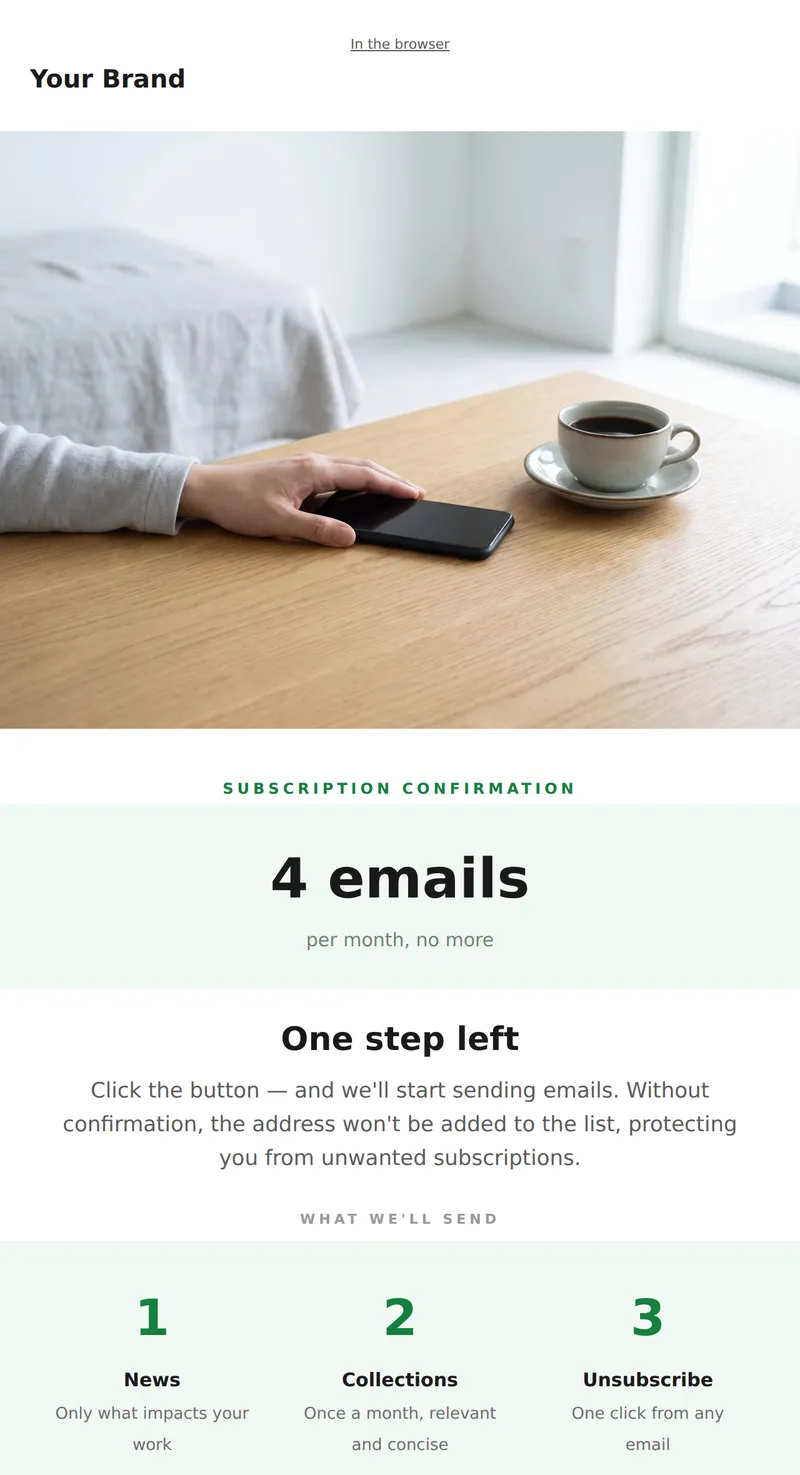
Subscription Confirmation (double opt-in)

The Subscription Confirmation email is a crucial touchpoint in the double opt-in process. It ensures that users verify their intent to subscribe, enhancing list quality and engagement.

When to use it

Send this email immediately after a user subscribes to your newsletter or service. It's targeted at new subscribers who need to confirm their email address.

What's inside

  • Header with logo
  • heading_text
  • Call-to-action button
  • Text block
  • Footer with social links

What to customise

  • Replace {{company_name}} with your business name
  • Modify the heading_text to reflect your brand voice
  • Update the confirmation button text for clarity
  • Personalize the email with the subscriber's name
  • Add relevant links in the footer for social media

Tips

  • Use clear and concise language to avoid confusion.
  • Ensure the confirmation button stands out visually.
  • Test the email on various devices for compatibility.
  • Include a brief explanation of what happens next after confirmation.

Frequently asked questions

What is double opt-in?

Double opt-in is a process where users confirm their subscription via email.

Why is confirmation important?

It verifies user intent and helps maintain a quality email list.

What should I include in the footer?

Include links to your social media and unsubscribe options for compliance.